> For the complete documentation index, see [llms.txt](https://help.onlyfan.cfd/llms.txt). Markdown versions of documentation pages are available by appending `.md` to page URLs; this page is available as [Markdown](https://help.onlyfan.cfd/nekoray/nekoray.md).
# Nekoray
## Nekoray
基于 Qt 的跨平台代理配置管理器
### 1. 下载并安装
[ Releases · MatsuriDayo/nekorayGitHub](https://github.com/MatsuriDayo/nekoray/releases)
### 2. 配置Nekoray
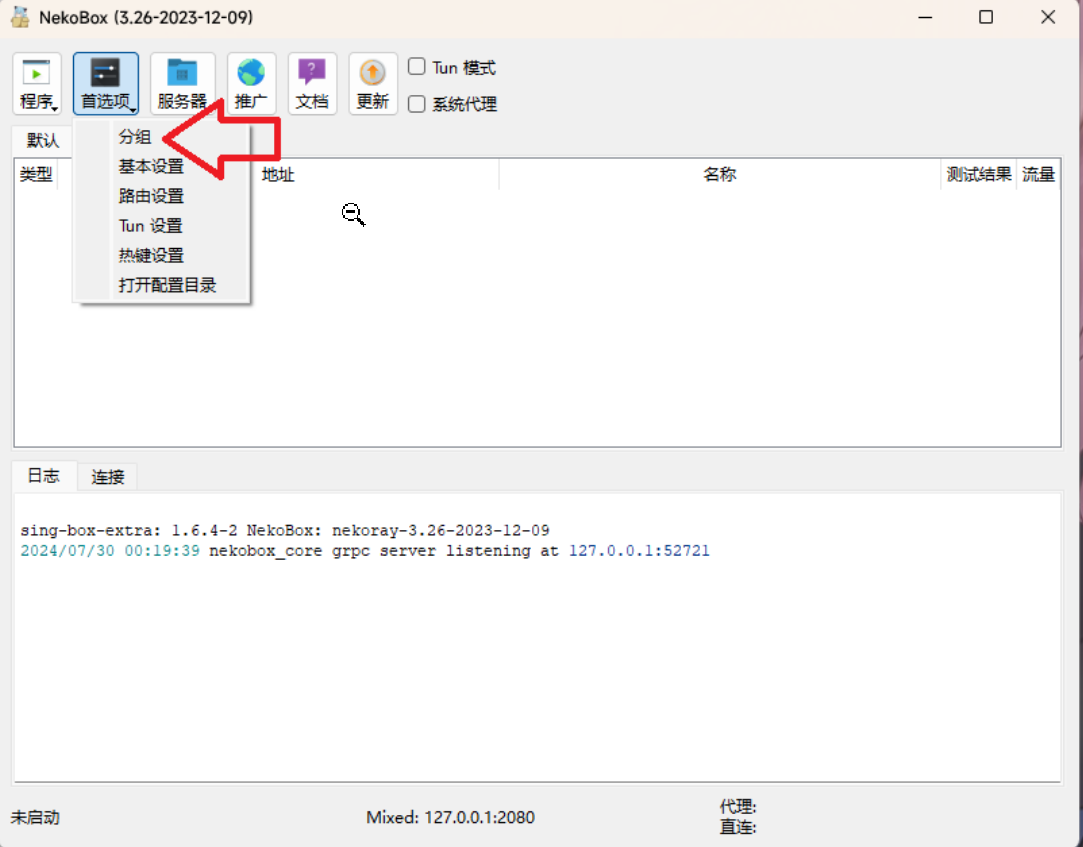
解压后点击 `nekoray.exe` 打开主程序,点击上方 `首选项` 选择 `分组`
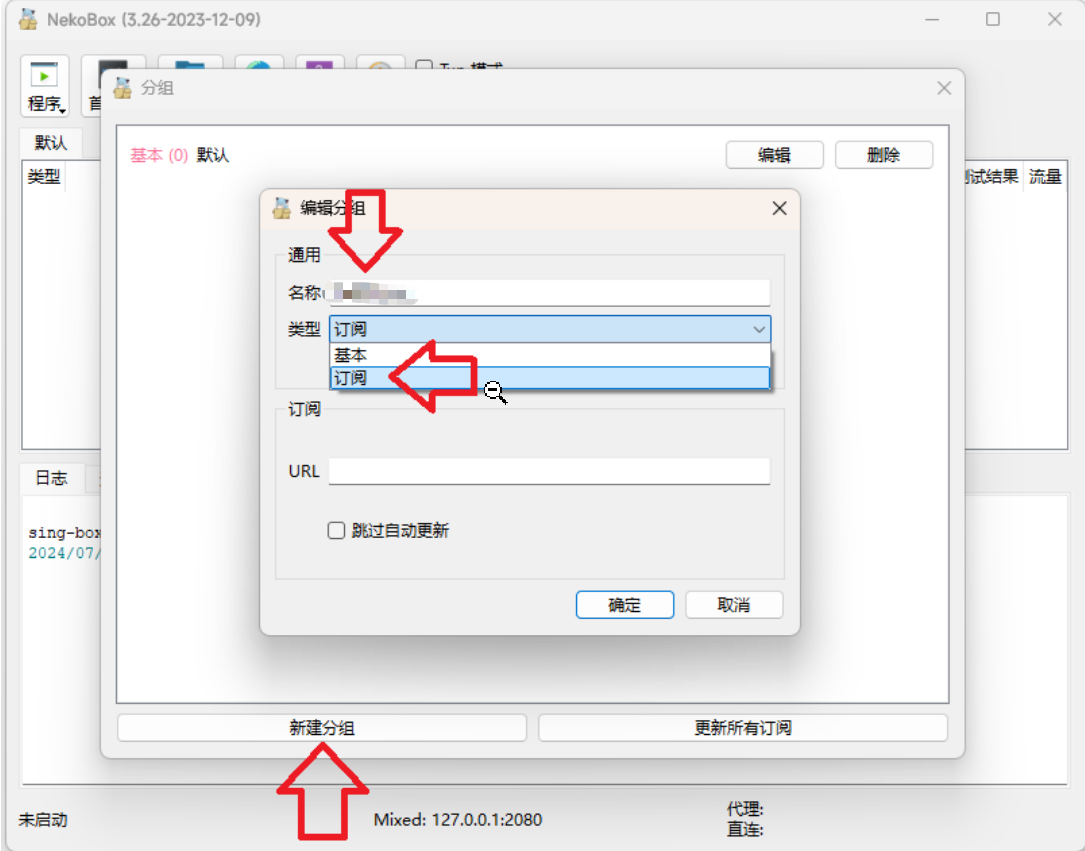
点击 `新建分组`,名称填写onlyfan,类型选择 `订阅`
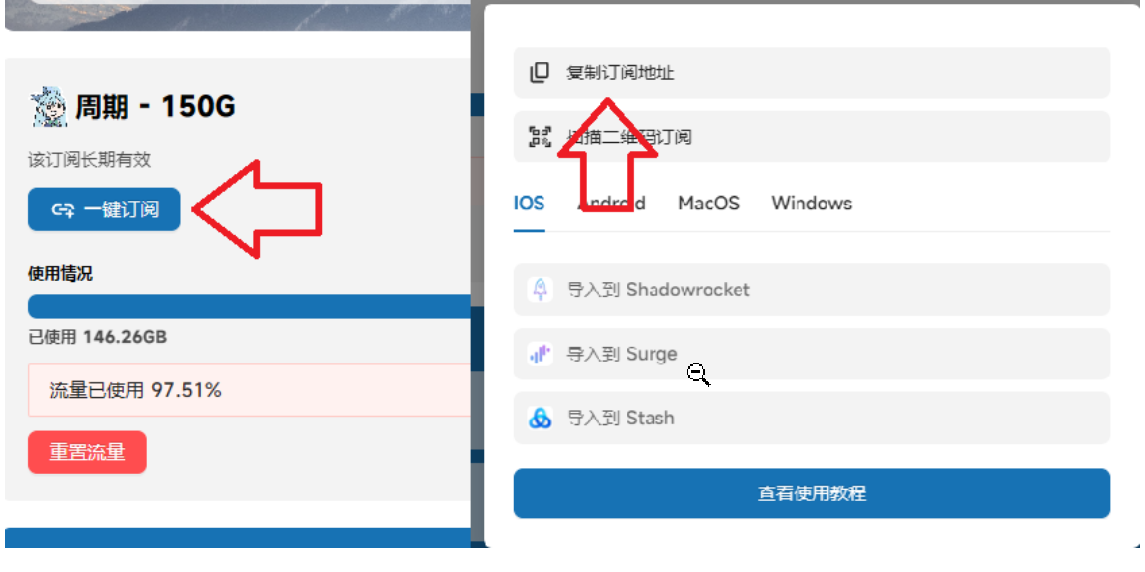
前往官网点击 `一键订阅`,点击 复制订阅地址
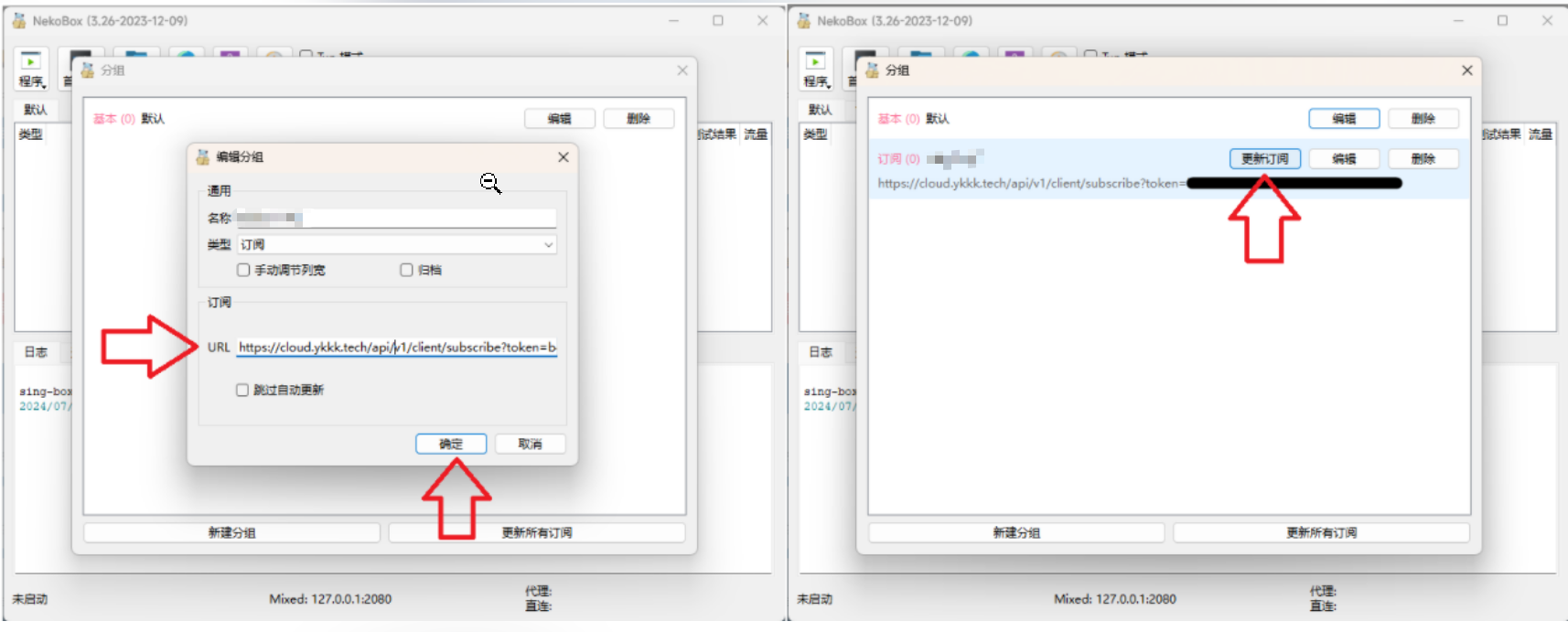
返回Nekoray,将复制到的内容粘贴到URL内,点击确定返回分组列表,点击 `更新订阅`
### 3. 开始使用
更新后返回主界面,点击 `Onlyfan`,选择一个节点右键,点击启动
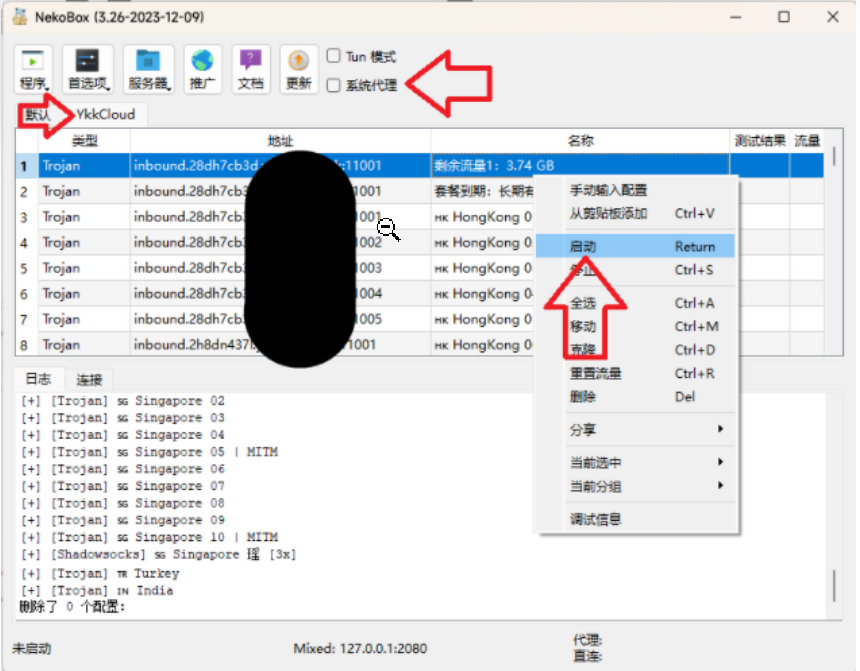
最后勾选 `系统代理` 即可连接到我们的服务
---
# Agent Instructions
This documentation is published with GitBook. GitBook is the documentation platform designed so that both humans and AI agents can read, navigate, and reason over technical content effectively. Learn more at gitbook.com.
## Querying This Documentation
If you need additional information that is not directly available in this page, you can query the documentation dynamically by asking a question.
Perform an HTTP GET request on the current page URL with the `ask` query parameter, and the optional `goal` query parameter:
```
GET https://help.onlyfan.cfd/nekoray/nekoray.md?ask=&goal=
```
`ask` is the immediate question: it should be specific, self-contained, and written in natural language.
`goal` is optional and describes the broader end goal you are ultimately trying to accomplish on behalf of the user. GitBook uses it to tailor the answer towards what is most useful for that goal.
The response will contain a direct answer to the question and relevant excerpts and sources from the documentation.
Use this mechanism when the answer is not explicitly present in the current page, you need clarification or additional context, or you want to retrieve related documentation sections.